

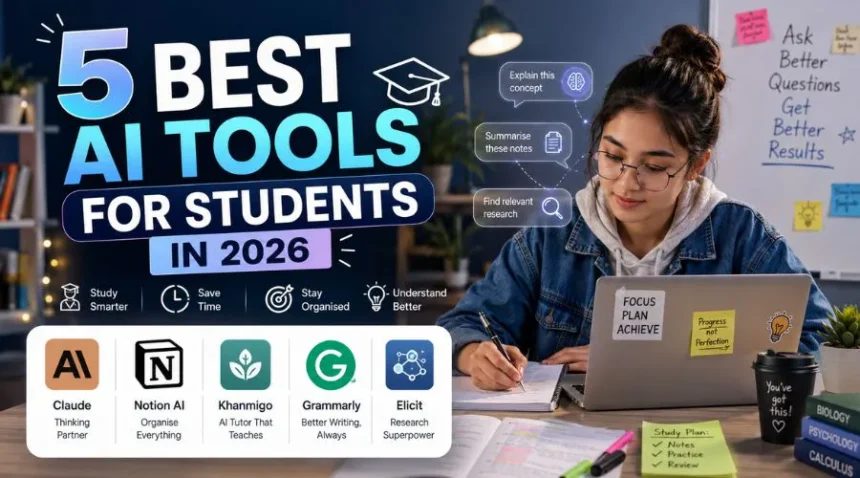
What if you could have a tutor, a writing coach, a research assistant, and an organiser, all available 24/7, and all for free? That’s exactly what the best AI tools for students can do for you in 2026.
Student life is a lot between assignments, exams, part-time jobs, and trying to have an actual social life; there are only so many hours in a day. That’s where AI comes in. And no, we’re not talking about tools that do your homework for you. We’re talking about tools that help you study smarter, stay organized, and actually understand things better.
List Of 5 Best AI Tools for Students
Here are the five best AI tools for students in 2026 — tried, tested, and genuinely useful.
1. Claude: Your Go-To Thinking Partner
If you’ve ever wished you had a really smart friend who could explain anything to you without making you feel dumb, that’s basically Claude. Made by Anthropic, Claude is an AI assistant that’s great at breaking down complex topics, helping you outline essays, brainstorming ideas, and even giving feedback on your writing. What makes Claude stand out is how conversational it feels. You can ask it to explain quantum physics like you’re 12, and it actually will, clearly and patiently. It’s also great for going back and forth on ideas, which makes it perfect for when you’re stuck on a concept or trying to figure out what angle to take in a paper.
Best for: Essay planning, understanding tough concepts, research brainstorming, and getting writing feedback.
Pro tip: Don’t just ask it for answers. Ask it to explain its reasoning. You’ll learn way more that way.
2. Notion AI: The Organised Student’s Best Friend
If your notes are currently scattered across five different apps, three notebooks, and a stack of sticky notes on your desk, Notion AI is about to change your life. Notion has always been a great tool for organising notes and tasks, but the AI layer makes it genuinely powerful for students. You can paste in your messy lecture notes and ask them to summarise them, turn them into a study guide, or create flashcard-style Q&As automatically. It can also help you draft project outlines, track deadlines, and keep all your coursework in one clean place.
Best for: Note organisation, creating study guides, project planning, and keeping your academic life from falling apart.
Pro tip: Create a dedicated “Exam Prep” page for each subject and let Notion AI generate a revision checklist from your notes.
3. Khanmigo: The AI Tutor That Actually Teaches You
Khan Academy’s AI tutor, Khanmigo, is something special, especially if you’re studying maths, science, or history. Unlike tools that just give you the answer, Khanmigo is designed to guide you to the answer yourself. It asks you questions, gives you hints, and helps you figure things out step by step. This Socratic approach might feel a little slower at first, but it genuinely helps things stick. It’s also one of the safest and most student-focused AI tools out there, which makes it a great option for younger students too.
Best for: Maths, science, test prep, and anyone who wants to actually learn rather than just get answers.
Pro tip: Use it when you’re stuck on a problem, not as a shortcut. Think of it as a patient tutor who’s available at 2am before your exam.
4. Grammarly: More Than Just a Spell Checker
Grammarly has been around for a while, but in 2026 it’s grown into something much more than a tool that catches typos. Its AI writing assistant now helps with tone, clarity, structure, and even citation style for academic writing.
For students, this is huge. You can paste in a draft essay and get suggestions on how to make your argument clearer, where your sentences are too wordy, and whether your tone fits an academic context. It’s like having a writing tutor built into your browser.
Best for: Essays, reports, emails to professors, and any written work you want to polish before submitting.
Pro tip: Use the “Goals” feature to set your audience and formality level. The suggestions become much more relevant when Grammarly knows who you’re writing for.
5. Elicit: Your Research Superpower
If you’ve ever spent hours going through research papers trying to find the one study that actually says what you need it to say — Elicit is for you.
Elicit is an AI research assistant that helps you find, summarise, and compare academic papers. You type in a research question, and it pulls up relevant studies, summarises their findings, and helps you see patterns across multiple sources. It doesn’t replace proper research, but it dramatically cuts down the time you spend getting lost in databases.
Best for: Literature reviews, research papers, finding sources, and understanding what studies actually say.
Pro tip: Use it early in your research process to get a broad overview, then dive deeper into the specific papers that matter most.
Final Thoughts
AI tools aren’t here to replace the thinking. They’re here to support it. The students who get the most out of these tools are the ones who stay curious, ask better questions, and use AI as a starting point rather than a finish line. Pick one or two tools from this list, get comfortable with them, and watch how much easier your student life becomes. You’ve still got to do the work, but at least now you don’t have to do it alone.
Check out this website for more Educational Informations.
FAQ
Q. Are these AI tools safe to use for academic work?
A. Yes, but with a caveat. Tools like Khanmigo, Elicit, and Notion AI are designed specifically to support learning, not replace it. For essay writing tools like Claude and Grammarly, always check your school’s AI policy first. Using AI to brainstorm, outline, or get feedback is generally fine; submitting AI-generated text as your own work is not. When in doubt, be transparent with your professor.
Q. Are any of these tools free for students?
A. Most of them offer free plans that are genuinely useful. Claude, Grammarly, and Notion AI all have free tiers with solid features. Khanmigo is available through Khan Academy, which is completely free. Elicit offers a free plan with limited monthly searches. If you want more advanced features, many of these tools also offer student discounts or trial periods, always worth checking before you pay full price.
Q. Will using AI tools hurt my ability to learn on my own?
A. Only if you use them the wrong way. If you’re copy-pasting AI outputs without reading or understanding them, yes, you’re shortchanging yourself. But if you use AI to help you understand a concept, improve your writing, or organise your thinking, it actually strengthens your learning. The key is to stay in the driver’s seat. Let AI assist the process, not take it over.