

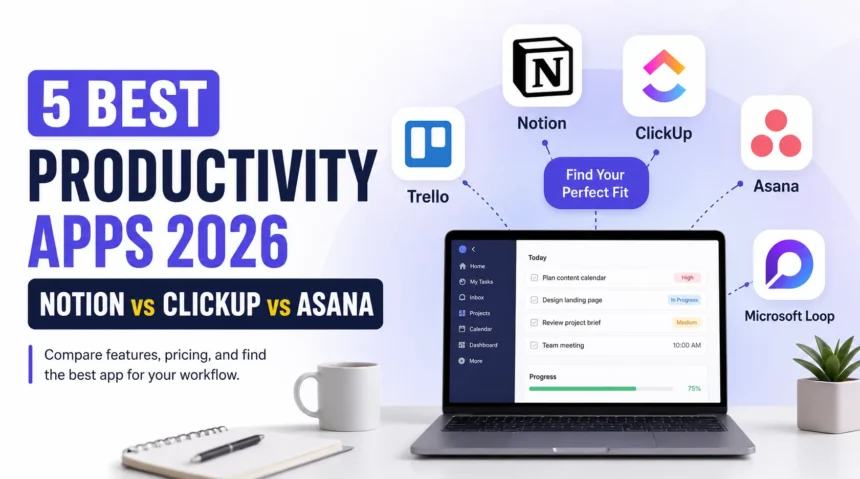
Are you still using sticky notes, random apps, and endless to-do lists to manage your work? If your answer is yes, you’re definitely not alone.
Staying productive has become harder than ever. Most people switch between emails, chats, documents, calendars, and meetings all day long. The right productivity app can bring everything together in one place, helping you save time and stay organized.
In 2026, productivity apps have become smarter with AI-powered features, better collaboration tools, and smoother workflows. Whether you’re a student, freelancer, business owner, or part of a large team, there’s an app designed for your needs.
List Of 5 Best Productivity Apps 2026
In this article, we’ll compare the five best productivity apps of 2026, including Notion, ClickUp, Asana, Trello, and Microsoft Loop. We’ll look at their features, pricing, strengths, and who should use them.
1. Notion: Best All-in-One Workspace
Notion remains one of the most popular productivity apps in 2026 because it combines note-taking, project management, document creation, database management, and AI tools into a single platform. Instead of using multiple apps, you can organize everything inside Notion. The app is highly customizable. You can create personal planners, company wikis, meeting notes, task boards, content calendars, and knowledge bases exactly the way you want. Its AI assistant also helps summarize notes, generate content, and answer questions from your workspace. The only downside is that beginners may need some time to learn how everything works, given the sheer number of customization options.
| Specification | Details |
| Best For | Students, creators, startups, teams |
| Platforms | Windows, macOS, Android, iPhone, Web |
| AI Features | Yes |
| Free Plan | Yes |
| Starting Price | Around $10 per user/month |
| Offline Access | Limited |
Why Choose Notion?
If you want one app that can replace your notes, documents, task manager, and knowledge base, Notion is one of the best choices available today.
2. ClickUp: Best for Project Management
ClickUp has become one of the strongest project management platforms in recent years. It offers everything needed to manage small and large projects from one dashboard. You can create tasks, assign team members, track deadlines, automate repetitive work, and monitor progress using multiple views such as List, Board, Calendar, Timeline, and Gantt charts. Its AI assistant helps write documents, summarize meetings, generate tasks, and improve productivity. While ClickUp offers an impressive number of features, new users may initially find the interface slightly overwhelming.
| Specification | Details |
| Best For | Businesses and project teams |
| Platforms | Windows, macOS, Android, iPhone, Web |
| AI Features | Yes |
| Free Plan | Yes |
| Starting Price | Around $10 per user/month |
| Automation | Advanced |
Why Choose ClickUp?
If your work involves managing multiple projects, deadlines, and team collaboration, ClickUp offers one of the most complete productivity solutions available.
3. Asana: Best for Team Collaboration
Asana is designed mainly for teams that want a clean and simple way to organize work. It focuses on task management without making the interface feel complicated. Managers can assign tasks, create workflows, track project progress, and receive updates automatically. Teams can also communicate directly within tasks, reducing the need for long email chains. The platform now includes AI-powered suggestions that help prioritize work, automate routine tasks, and generate project summaries.
| Specification | Details |
| Best For | Team collaboration |
| Platforms | Windows, macOS, Android, iPhone, Web |
| AI Features | Yes |
| Free Plan | Yes |
| Starting Price | Around $11 per user/month |
| Task Automation | Yes |
Why Choose Asana?
Asana is an excellent choice if your team wants a simple, professional project management tool that’s easy to learn and use.
4. Trello: Best for Simplicity
Not everyone needs a feature-packed productivity platform. Sometimes, a simple Kanban board is enough to organize daily work. That’s exactly where Trello shines. It allows users to create boards, lists, and cards to manage tasks visually. You simply drag and drop tasks as they move from “To Do” to “In Progress” and finally to “Completed.” Power-Ups allow you to add calendars, automation, time tracking, and integrations without making the interface confusing.
| Specification | Details |
| Best For | Personal projects and small teams |
| Platforms | Windows, macOS, Android, iPhone, Web |
| AI Features | Limited |
| Free Plan | Yes |
| Starting Price | Around $6 per user/month |
| Learning Curve | Very Easy |
Why Choose Trello?
If you’re looking for an easy-to-use productivity app without spending hours learning new features, Trello remains one of the best options in 2026.
5. Microsoft Loop: Best for Microsoft 365 Users
Microsoft Loop has grown rapidly thanks to its deep integration with Microsoft 365. It allows teams to collaborate on documents, notes, checklists, and project updates in real time. One of its biggest advantages is Loop Components, which stay synced across Outlook, Teams, Word, and other Microsoft apps. If you update a checklist in Teams, it updates everywhere automatically. The app also includes AI-powered writing and collaboration tools through Microsoft’s Copilot integration.
| Specification | Details |
| Best For | Microsoft 365 users |
| Platforms | Windows, macOS, Android, iPhone, Web |
| AI Features | Yes (Copilot) |
| Free Plan | Limited |
| Starting Price | Included with many Microsoft 365 plans |
| Real-Time Collaboration | Excellent |
Why Choose Microsoft Loop?
If your company already relies on Microsoft 365, Loop fits naturally into your workflow and makes collaboration much smoother.
Which Productivity App Should You Choose?
The best productivity app depends on how you work. If you want an all-in-one workspace that combines notes, documents, databases, and task management, Notion is the strongest choice. If your priority is managing projects with powerful automation and reporting, ClickUp stands out. For teams that prefer a clean and organized workspace without too much complexity, Asana is a great fit. If you like visual task management and simplicity, Trello remains one of the easiest apps to use. And if your workplace already uses Microsoft 365 every day, Microsoft Loop offers excellent integration that can save time and improve collaboration.
Final Thoughts
Productivity apps in 2026 are no longer just digital to-do lists. They have evolved into complete workspaces that help people plan projects, manage teams, and collaborate in real time. Before choosing one, think about how you work every day. A freelancer may prefer the flexibility of Notion, while a growing company might benefit more from ClickUp or Asana. If you only need a simple task board, Trello is still hard to beat. And for Microsoft users, Loop feels like a natural extension of the tools they already use. The good news is that most of these apps offer free plans. Try a few of them for a week and see which one matches your workflow.
For more technical information, make sure to check out this website.
FAQ
1. Which is the best productivity app in 2026?
A. Notion is better for organizing notes, documents, and knowledge in one place, while ClickUp is better for managing projects, workflows, deadlines, and team collaboration. Your choice depends on how you work.
2. Is Notion better than ClickUp?
Far far away, behind the word mountains, far from the countries Vokalia and Consonantia, there live the blind texts. Separated they live in Bookmarksgrove right at the coast of the Semantics, a large language ocean.
3. Are these productivity apps free to use?
A. Yes, Notion, ClickUp, Asana, and Trello all offer free plans with basic features. Microsoft Loop also has a free version, while some advanced features are available through Microsoft 365 subscriptions.