

In today’s digital world, most people have dozens, if not hundreds, of online accounts. From banking and shopping to social media and work applications, every account requires a strong, unique password. Remembering all of them is nearly impossible, which is why using the best password manager has become essential in 2026.
Password managers securely store your login credentials, generate complex passwords, and automatically fill them in when needed. They help improve security while making your online experience much more convenient.
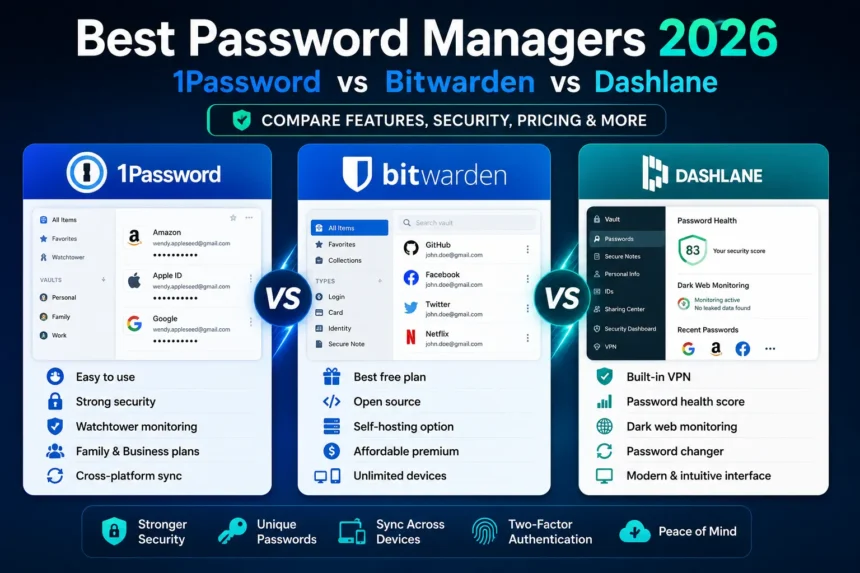
In this guide, we’ll compare three of the most popular password managers—1Password, Bitwarden, and Dashlane—to help you choose the right one.
Why You Need a Password Manager
Many people still reuse passwords across multiple websites, making them vulnerable to cyberattacks. If one password is compromised, hackers can potentially access multiple accounts.
A password manager helps you:
- Create strong, unique passwords
- Store passwords securely
- Autofill login details
- Sync passwords across devices
- Secure sensitive information
- Enable two-factor authentication (2FA)
Using the best password manager is one of the easiest ways to improve your online security.
What Makes a Great Password Manager?
Before comparing the leading options, let’s look at the features that matter most.
A quality password manager should offer:
- End-to-end encryption
- Cross-platform compatibility
- Password generator
- Secure password sharing
- Multi-factor authentication
- Security alerts
- Dark web monitoring
- Easy-to-use interface
- Secure cloud synchronization
Now let’s compare the top contenders.
1Password Overview
1Password has built a strong reputation for combining excellent security with an intuitive user experience.
Key Features
- AES-256 encryption
- Secret Key protection
- Password generator
- Secure vaults
- Travel Mode
- Watchtower security monitoring
- Password sharing
- Family and business plans
Pros
- Clean, beginner-friendly interface
- Excellent security features
- Fast autofill performance
- Reliable cross-device syncing
- Strong family account options
Cons
- No permanent free version
- Slightly more expensive than competitors
1Password is ideal for users who prioritize ease of use alongside enterprise-grade security.
Bitwarden Overview
When comparing 1Password vs Bitwarden, Bitwarden stands out for its outstanding free plan and open-source approach.
Key Features
- Open-source security
- Unlimited password storage
- Cross-platform support
- Secure password generator
- Password sharing
- Self-hosting option
- Biometric login
- Affordable premium plan
Pros
- Excellent free version
- Highly affordable premium pricing
- Transparent open-source code
- Strong security architecture
- Great for technical users
Cons
- The interface feels less polished
- Some premium features require upgrading
For users seeking maximum value, Bitwarden is often considered one of the best password management solutions available.
Dashlane Overview
Dashlane offers more than just password management, including several advanced security tools.
Key Features
- Password health monitoring
- Dark web monitoring
- Secure password sharing
- Built-in VPN (Premium)
- Autofill
- Password changer
- Passkey support
- Secure notes
Pros
- Modern interface
- Excellent security dashboard
- VPN included in premium plans
- Comprehensive dark web monitoring
- Easy setup
Cons
- More expensive than Bitwarden
- The free version has device limitations
Dashlane is an excellent choice for users who want an all-in-one security package.
1Password vs Bitwarden
The debate over 1Password vs Bitwarden often comes down to simplicity versus affordability.
| Feature | 1Password | Bitwarden |
| Free Plan | No | Yes |
| Open Source | No | Yes |
| Ease of Use | ⭐⭐⭐⭐⭐ | ⭐⭐⭐⭐☆ |
| Family Plans | Excellent | Very Good |
| Security | Excellent | Excellent |
| Pricing | Higher | Lower |
Choose 1Password if:
- You want the easiest interface.
- You manage multiple family accounts.
- You value a premium user experience.
Choose Bitwarden if:
- You want the best free password manager.
- You prefer open-source software.
- You’re looking for excellent value.
Dashlane vs 1Password
The comparison between Dashlane and 1Password differs slightly because Dashlane focuses more on comprehensive online security.
| Feature | Dashlane | 1Password |
| VPN Included | Yes | No |
| Dark Web Monitoring | Excellent | Good |
| Password Health | Excellent | Very Good |
| Ease of Use | Excellent | Excellent |
| Security | Excellent | Excellent |
| Price | Slightly Higher | Moderate |
Choose Dashlane if:
- You want built-in VPN protection.
- You prefer additional security monitoring.
- You like an all-in-one security suite.
Choose 1Password if:
- You mainly need secure password management.
- You want faster navigation and simpler workflows.
Password Manager Comparison
Here’s a quick password manager comparison across key categories.
| Feature | 1Password | Bitwarden | Dashlane |
| Security | ⭐⭐⭐⭐⭐ | ⭐⭐⭐⭐⭐ | ⭐⭐⭐⭐⭐ |
| Free Plan | ⭐⭐☆☆☆ | ⭐⭐⭐⭐⭐ | ⭐⭐⭐☆☆ |
| Ease of Use | ⭐⭐⭐⭐⭐ | ⭐⭐⭐⭐☆ | ⭐⭐⭐⭐⭐ |
| Premium Features | ⭐⭐⭐⭐⭐ | ⭐⭐⭐⭐☆ | ⭐⭐⭐⭐⭐ |
| Pricing | ⭐⭐⭐⭐☆ | ⭐⭐⭐⭐⭐ | ⭐⭐⭐⭐☆ |
| Business Features | ⭐⭐⭐⭐⭐ | ⭐⭐⭐⭐☆ | ⭐⭐⭐⭐☆ |
| Overall Rating | 9.6/10 | 9.5/10 | 9.4/10 |
All three password managers provide strong encryption and excellent security. The best choice depends on your specific needs and budget.
Which Password Manager Is Best for Different Users?
Best for Beginners
1Password
Its polished interface and simple setup make it ideal for first-time users.
Best Free Password Manager
Bitwarden
The generous free plan includes many features that competitors reserve for paid subscriptions.
Best for Families
1Password
Shared vaults, permission controls, and easy account management make it an excellent family option.
Best for Security Enthusiasts
Dashlane
Built-in VPN, password health reports, and dark web monitoring provide additional protection.
Best for Businesses
1Password offers powerful business features, while Bitwarden provides affordable enterprise solutions for organizations with tighter budgets.
Tips for Using a Password Manager Safely
Even the best password manager works best when paired with good security habits.
Follow these best practices:
- Create a strong master password.
- Enable two-factor authentication.
- Never reuse passwords.
- Update weak passwords regularly.
- Review security alerts frequently.
- Keep recovery options updated.
- Store backup recovery codes safely.
These habits can significantly improve your online security.
Are Password Managers Safe?
Yes. Reputable password managers use advanced encryption methods that ensure your passwords remain protected even if their servers are compromised.
Most modern password managers use:
- Zero-knowledge architecture
- AES-256 encryption
- Multi-factor authentication
- End-to-end encryption
- Secure cloud synchronization
No security system is completely foolproof, but password managers are far safer than storing passwords in browsers, spreadsheets, or notebooks.
Conclusion
Choosing the best password manager depends on your priorities. If you value simplicity and a polished user experience, 1Password is an outstanding choice. If affordability and open-source transparency matter most, Bitwarden is hard to beat. For users seeking additional security tools like VPN protection and dark web monitoring, Dashlane offers an excellent all-in-one solution.
Whether you’re comparing 1Password vs Bitwarden, evaluating Dashlane vs 1Password, or looking for a complete password manager comparison, all three services deliver strong security and reliable password management. The right choice is the one that best matches your budget, devices, and online security needs.
FAQs