

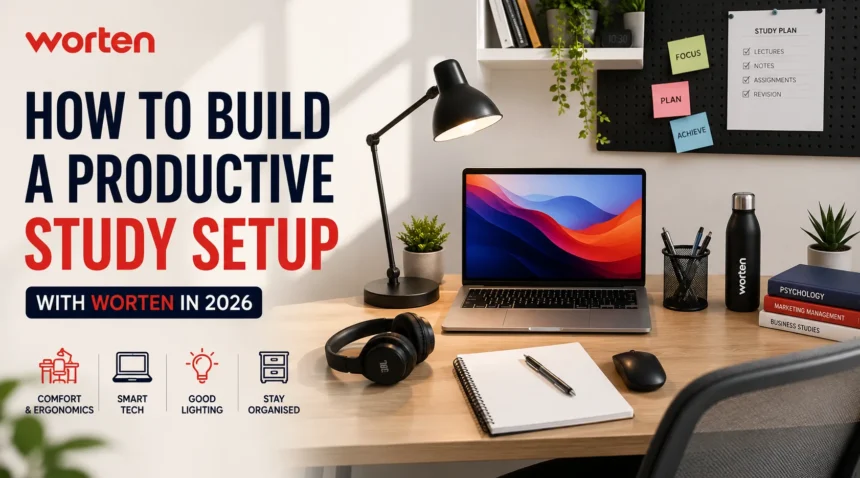
What makes a study space genuinely productive? You do not need a huge room, expensive furniture or a desk packed with gadgets.
A good study setup is about creating a comfortable space where you can focus, stay organised and work without unnecessary distractions.
In 2026, technology is also an important part of studying, from laptops and monitors to headphones and useful accessories.
How To Build A Productive Study Setup With Worten: 11 Ways
With Worten, students can find different technology and home essentials to create a study space that suits their needs. Whether you are preparing for school, college or university, the right setup can make everyday studying more comfortable and efficient.
1. Choose The Right Space For Studying
The first step is finding a suitable place for your study setup. Ideally, choose a quiet corner of your home where you can work without constant interruptions. You do not need a separate room. A small corner in your bedroom or living area can work just as well if it is organised properly.
Natural light can also make the space more comfortable during the day. If you have a window nearby, position your desk where you can benefit from daylight without creating reflections on your laptop or monitor. Keeping your study area away from the television or other distractions can also help you stay focused.
2. Pick A Comfortable Desk And Chair
Your desk and chair form the foundation of your study setup. Since students can spend several hours reading, writing or working on a computer, comfort should be a priority. Choose a desk that gives you enough room for your laptop, books, notebooks and other essentials.
A comfortable chair is equally important. Look for one with adjustable height and suitable back support. Your feet should rest comfortably on the floor, while your screen should be positioned at a comfortable height. A well-arranged desk can help you maintain a better working position during longer study sessions.
3. Choose The Right Laptop With Worten
For most students, a laptop is the main piece of technology in their study setup. It can be used for assignments, online classes, research, presentations, video calls and much more. However, you do not always need the most powerful laptop available.
Consider your course and everyday requirements before choosing one at Worten. Students who mainly browse the internet, write documents and attend online classes may be comfortable with a standard everyday laptop. Those studying design, programming, engineering or video editing may need more powerful specifications.
Pay attention to factors such as the processor, RAM, storage, battery life, screen size and weight. If you regularly carry your laptop between home and university, a lightweight model can be particularly practical.
4. Add A Monitor For More Screen Space
A monitor can be a useful addition if you regularly work with several windows at the same time. For example, you can keep research material open on one screen while writing an assignment on another. This can make multitasking easier and reduce the need to constantly switch between tabs.
When choosing a monitor at Worten, consider the screen size, resolution and available connections. You do not necessarily need a premium gaming monitor for studying. A clear and comfortable display with the right connectivity can be more than enough for everyday academic work.
5. Use Headphones To Stay Focused
Noise can make it difficult to concentrate, especially if you share your home with family or roommates. Headphones can create a more focused environment and are also useful for online lectures, educational videos and virtual classes.
When choosing headphones, comfort should be one of the main considerations if you plan to wear them for long periods. Wireless models can also help reduce cables around your desk. Noise-cancelling headphones may be useful if you often study in a noisy environment.
6. Improve Your Study Space With Good Lighting
Lighting is another important part of a productive workspace. While natural daylight is useful, you will need a good lighting solution when studying in the evening. A desk lamp can provide focused light and make reading or writing more comfortable.
Place the lamp carefully so that it does not create reflections on your laptop or monitor. Worten offers different lighting options, so you can choose one based on your desk size and room setup. A simple adjustable lamp can often be enough to improve your workspace.

7. Keep Your Desk Organised
A messy desk can quickly become distracting. Chargers, cables, notebooks, pens and other accessories can take over your workspace if they are not organised. Keeping frequently used items within easy reach can make your study sessions smoother.
You can use simple storage boxes, drawers or organisers to keep smaller items together. Wireless keyboards and mice can also help reduce cable clutter. Try to keep only the things you need regularly on your desk and store everything else elsewhere.
8. Prepare Your Setup For Online Classes
Online classes and virtual meetings are now common parts of student life. Your study setup should therefore be ready for video calls and online lessons. A laptop with a reliable webcam and microphone may already be enough for many students.
If you attend online classes regularly, you can also consider additional equipment such as an external webcam, microphone or headphones. A stable internet connection is equally important. Positioning your setup somewhere with a strong Wi-Fi signal can help reduce interruptions during online sessions.
9. Add Accessories When You Need Them
Once the basic setup is ready, you can add accessories according to your needs. A USB hub can be useful if your laptop does not have enough ports, while external storage can provide extra space for academic files and projects.
A laptop stand can raise the screen to a more comfortable position, while an external keyboard and mouse can make desk-based work easier. You do not have to buy everything at once. Start with the essentials and add accessories as you understand what would genuinely improve your setup.
10. Reduce Digital Distractions
Even the best study setup will not help much if you are constantly distracted by your phone or computer notifications. Try keeping your phone away from your immediate workspace when you need to concentrate. Turning off unnecessary notifications can also make it easier to stay focused.
Your computer should also be kept as simple as possible during study sessions. Close unnecessary tabs and applications and keep only the tools you need for the task at hand. A clean digital workspace can be just as useful as a clean physical desk.
11. Create A Setup That Fits Your Needs
There is no single perfect study setup for everyone. A school student may only need a laptop, desk and good lighting, while a university student studying design or technology may benefit from a larger monitor and additional accessories.
Worten gives students plenty of options to build a setup around their individual requirements. Start with the essentials, focus on comfort and gradually add technology that makes your daily work easier. A productive study space does not have to be complicated. It simply needs to help you feel comfortable, organised and ready to focus.
Conclusion
Building a productive study setup does not mean filling your desk with expensive gadgets. The key is to create a comfortable, organised and distraction-free space that matches your daily needs. From a reliable laptop and comfortable chair to good lighting, headphones and useful accessories, every element should make studying easier. With the range of products available at Worten, you can gradually create a practical study space that works for school, university or online learning throughout 2026.
For more education details details, make sure to check out this website.
FAQs
Q. What should every student have in a study setup?
A. A comfortable desk and chair, suitable lighting and a reliable computer are good starting points. Additional accessories can be added based on individual requirements.
Q. Is a monitor useful for studying?
A. Yes. A second monitor can make multitasking easier, particularly when working with research, assignments, spreadsheets or multiple applications.
Q. How can I make my study setup more productive?
A. Keep your desk organised, reduce distractions, use comfortable equipment and make sure you have adequate lighting. Choosing technology that matches your actual study needs can also make the workspace more practical.