


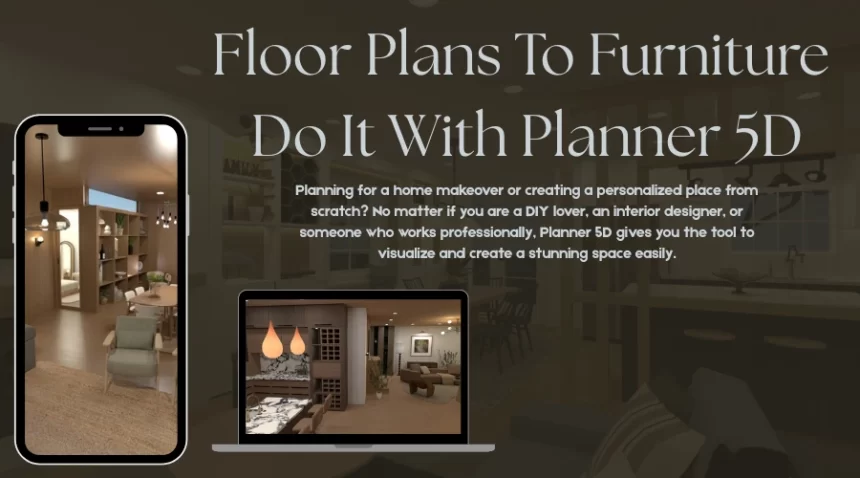
Planning for a home makeover or creating a personalized place from scratch? No matter if you are a DIY lover, an interior designer, or someone who works professionally, Planner 5D gives you the tool to visualize and create a stunning space easily. The intuitive interface, drag-and-drop feature, and a great library of design elements make Planner 5D easy to use to make blueprints to final decor.
Let’s create a detailed plan, furniture style, color, and other interior ideas with the 2D and 3D effects.
1. Start With The Flooring Plan:
A solid floor design is the foremost thing when planning home interior ideas. Planner 5D allows you to create a plan with the user-friendly floor plan software. Be it laying out the space room by room or setting the wall dimensions, Planner 5D will let you create a cool idea.
Benefits to look for-
- Choose room shapes from the library. L-shaped kitchens, curved walls, or split-level rooms, you will find everything.
- Confused between duplex or loft? Check the designs by adding multiple floors.
- You can also add the exact measurement while planning the designs.
Not a CAD expert! All you need to do is just point, click, and create.
2. Easy Furniture Placements
With the blueprint being ready, let’s bring the rooms to life. With the drag-and-drop feature of Planner 5D, the space can be furnished effortlessly. You will find more than 5000 items in the catalog, which will make your space perfect. Kitchen cabinets, sofas, or lighting—you will find everything in the library.
Benefits to look for-
- All you have to do is drag and drop the theme into the designs created by you.
- Want to change the aesthetics? Choose colors, material, and size as per your requirement.
Planner 5D also simulates real-life scenarios. You can check if the bed you chose fits the guest room or if the sunlight from the living room window hits the sitting area.
3. Choose The Best Styles And Colors
When using Planner 5D, you will find it’s more than the layout planner. It creates a blank canvas for the creativity to take shape. Look for different styles like modern, rustic, minimalist, and traditional. Themes can be tweaked as per your need.
Benefits to look for-
- Specific shades can be applied to the walls, floors, and furniture.
- Get material like wool, fabric, metal, and more.
- Give realistic structure to the room with light effects.
Scandinavian-style kitchen or boho living room, Planner 5D will let you visualize and decide on the real picture ideas.
3. Every Angle Visualisation
Planner 5D lets you visualize between 2D and 3D planning. The technical structure and layout will bring your imagination to life.
Benefits to look for-
- A mode that makes you feel you are actually walking through the space.
- Review the layout in and out.
- You can use mobile or VR devices to explore the design.
These help you to identify if any changes are required in the renovation or building.
4. Use Your Mobile For Designs
Planner 5D can be used across all digital platforms like desktops, tablets, and mobile devices. This gives you the leverage of viewing your designs anytime and anywhere. Be it home improvement or consulting the contractor, the design is only a tap away. You can also synchronize with your cloud and easily edit or store the designs.
5. Out Of Ideas Planner 5D Is There
New to home designs or having a creative block? Worry not. At Planner 5D you will find interface that will give you an idea as to where to start from.
Benefits to look for-
- There are templates that are predesigned.
- Will find guides and tutorials for help.
- AI to save your time and give great suggestions in designs.
Be it your small apartment renovation or designing the forever palace, Planner 5D will give you the power of creating with the right tools.
Conclusion
From floor plans to furniture, Planner 5D lets you experience the home design virtually. The tools are powerful and user-friendly, which helps the newbies as well as professionals to create what they have imagined. From drag-and-drop, walk-in designs, and 3D interpretations, your dream house will come to life with Planner 5D.
For more such interior ideas, visit www.megafeedz.com.
FAQs
Q1. Can you use Floorplanner to add furniture?
Ans: You can add furniture and label your rooms. All of the tools you need to manage your project and floors, make and design your layout, and furnish your rooms are located in the sidebar.
Q2. How to Use Planner 5D to Create Floor Plans?
Ans: Here are ways to create the plan:
- See it in three dimensions.
- Start from scratch or select a template. You can begin your project by manually entering your measurements or by uploading your current floor plan using the floor plan maker software.
- Decorate and add furnishings. It’s time to decorate when you’ve decided on your layout.
Q3. Does furniture appear on floor plans?
Ans: To clearly illustrate how space is used, floor plans may show storage areas in addition to fixed furniture in areas like the kitchen and bathroom. You can better comprehend traffic flow and furniture placements if you know how to read the symbols.
Q4. For whom is Planner 5D most beneficial?
Ans: For creating house plans, Planner 5D is quite easy to use. There are many options in the extensive collection. Individuals can also benefit greatly from the realistic view renderer.
Q5. What is the price of Planner 5D?
Ans: Three pricing tiers are available for Planner 5D: Free, Premium ($4.99/month), and Professional ($33.33/month). A simple floor planning system is provided by the free plan.