

Virtual meetings have become a regular part of work, education, and business communication. Whether you’re attending daily team meetings, speaking with clients, conducting interviews, or joining online classes, background noise and manual note-taking can easily reduce productivity.
That’s where Krisp AI comes in.
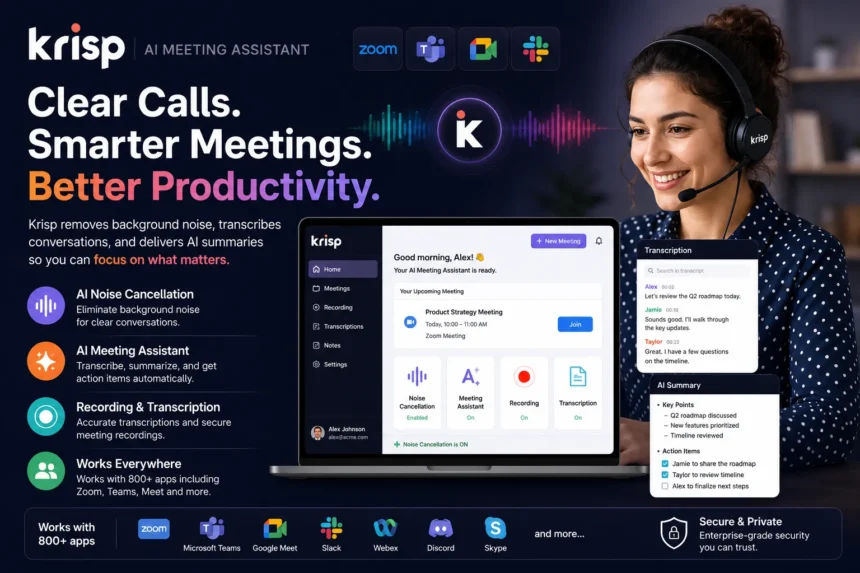
Krisp is an AI-powered communication assistant designed to improve the quality of online meetings. It removes unwanted background noise, records conversations, generates meeting transcripts, creates AI-powered summaries, and helps users stay focused without worrying about taking notes.
If you’re looking for a smarter way to manage virtual meetings, here’s why Krisp has become one of the most trusted AI productivity tools.
What Is Krisp AI?
Krisp is an AI-powered desktop application that enhances online communication by improving audio quality and automating meeting documentation.
Unlike traditional noise-suppression software, Krisp uses artificial intelligence to filter out background noise while preserving the speaker’s voice. Beyond noise cancellation, it also serves as an AI meeting assistant, providing transcription, recording, note-taking, and meeting summaries.
Whether you’re using Zoom, Microsoft Teams, Google Meet, Slack, Discord, or hundreds of other communication platforms, Krisp works seamlessly in the background to improve every conversation.
Why Professionals Choose Krisp
Remote work has made online meetings more common than ever. However, distractions such as barking dogs, typing on a keyboard, traffic noise, or noisy cafés can interrupt conversations and undermine professionalism.
Krisp helps solve these challenges by delivering cleaner audio while automating many time-consuming meeting tasks.
Some of its biggest advantages include:
- AI-powered noise cancellation
- Echo removal
- Voice enhancement
- AI meeting transcription
- Automatic meeting summaries
- Meeting recording
- Speaker identification
- Real-time note generation
- Seamless integration with popular communication platforms
The result is a smoother, more productive meeting experience.
Industry-Leading Noise Cancellation
Krisp first became popular for its powerful AI Noise Cancellation technology.
Instead of relying on traditional audio filters, Krisp uses machine learning models to distinguish human speech from unwanted sounds.
It can reduce distractions such as:
- Keyboard typing
- Dogs barking
- Traffic noise
- Construction sounds
- Children playing
- Office conversations
- Air conditioners
- Fans
- Coffee shop background noise
This helps ensure your voice remains clear, even in less-than-perfect environments.
The technology works for both incoming and outgoing audio, improving call quality for everyone involved.
AI Meeting Assistant
One of Krisp’s biggest innovations is its AI Meeting Assistant.
Rather than taking notes manually during meetings, users can focus on the conversation while Krisp automatically captures key information.
The meeting assistant provides:
- Live transcription
- AI-generated summaries
- Action items
- Key discussion points
- Speaker recognition
- Searchable meeting history
This is especially valuable for managers, sales teams, recruiters, consultants, and customer support professionals who attend multiple meetings every day.
Accurate Meeting Transcriptions
Meeting notes are only useful if they’re accurate.
Krisp automatically converts spoken conversations into searchable text, making it easier to revisit discussions without replaying entire recordings.
The transcription feature helps users:
- Review important decisions
- Share meeting notes
- Document client conversations
- Improve collaboration
- Maintain meeting records
Instead of relying on handwritten notes, teams receive structured documentation within minutes.
AI-Generated Meeting Summaries
Reading an hour-long transcript isn’t always practical.
Krisp solves this by automatically generating concise meeting summaries.
These summaries typically include:
- Main discussion topics
- Decisions made
- Action items
- Important follow-ups
- Meeting highlights
This saves time and helps team members quickly understand what happened, even if they missed the meeting.
Works with Your Favorite Meeting Platforms
One of Krisp’s strengths is compatibility.
It works with hundreds of communication and conferencing applications, including:
- Zoom
- Microsoft Teams
- Google Meet
- Slack
- Discord
- Skype
- Webex
- RingCentral
Because Krisp functions at the system audio level, users don’t need separate integrations for every platform.
Simply enable Krisp and continue using your preferred meeting application.
Perfect for Remote and Hybrid Work
Modern workplaces often involve employees working from different locations.
Krisp helps remote professionals maintain clear communication regardless of where they’re working.
Whether you’re:
- Working from home
- Traveling
- Using coworking spaces
- Taking calls in cafés
- Attending meetings while commuting
Krisp minimizes distractions and improves the overall meeting experience.
Great for Sales, Customer Support, and Recruiters
Krisp isn’t only for general meetings.
Many professionals use it to improve customer interactions.
Sales teams benefit from:
- Better call clarity
- Automatic conversation summaries
- Faster CRM updates
- Meeting documentation
Recruiters can:
- Record interviews
- Generate candidate notes
- Review conversations later
Customer support teams can maintain accurate records while focusing on delivering better service.
Security and Privacy
Since meetings often involve sensitive business information, privacy matters.
Krisp emphasizes secure data handling and enterprise-grade privacy practices.
The platform also gives users control over recordings and meeting data, making it suitable for organizations with compliance requirements.
Businesses should always review their organization’s data policies before enabling meeting recording features.
Simple and Easy to Use
One reason Krisp continues to grow in popularity is its user-friendly interface.
Setup only takes a few minutes.
Once installed:
- Select Krisp as your microphone and speaker.
- Join your meeting.
- Let AI handle the background noise and meeting notes automatically.
Most users can begin using the software without any technical expertise.
Who Should Use Krisp?
Krisp is ideal for:
- Remote workers
- Business professionals
- Sales teams
- Customer support agents
- Recruiters
- Teachers
- Students
- Consultants
- Freelancers
- Content creators
- Podcasters
Anyone who regularly participates in online meetings can benefit from clearer audio and automated meeting documentation.
Why Krisp Stands Out
Many applications provide either noise cancellation or transcription.
Krisp combines multiple AI-powered communication tools into one platform, including:
- Noise cancellation
- Voice enhancement
- Meeting recording
- AI transcription
- Smart summaries
- Action items
- Searchable meeting history
Instead of juggling several separate applications, users can manage everything from a single workspace.
Final Thoughts
Online meetings are now a permanent part of modern work, making clear communication more important than ever.
Krisp simplifies virtual collaboration by combining industry-leading AI noise cancellation with powerful meeting productivity features, including transcription, recording, summaries, and automated note-taking.
Whether you’re leading client presentations, interviewing candidates, collaborating with teammates, or attending online classes, Krisp helps eliminate distractions while ensuring important conversations are captured accurately.
If you’re looking to improve meeting quality and save valuable time after every call, Krisp is a smart AI-powered solution worth exploring.
FAQs
1. What is Krisp AI?
Krisp is an AI-powered communication platform that provides noise cancellation, meeting transcription, recording, summaries, and note-taking.
2. Does Krisp work with Zoom and Microsoft Teams?
Yes. Krisp is compatible with Zoom, Microsoft Teams, Google Meet, Slack, Discord, Webex, Skype, and many other communication platforms.
3. Can Krisp remove background noise?
Yes. Krisp uses artificial intelligence to remove background noise such as typing, traffic, barking dogs, and office sounds while preserving human speech.