


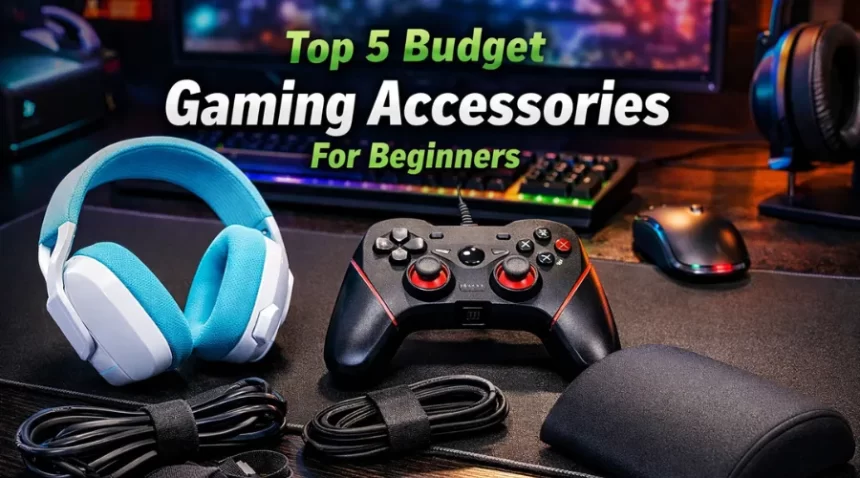
Ever wondered if you really need expensive gear to enjoy gaming, or if you can start with simple, budget gaming accessories for beginners? I used to think gaming required a big setup, but honestly, you don’t need to spend a fortune to enjoy it.
When I started, I focused on comfort and small upgrades that made a big difference. You just need the right basics that improve your experience without hurting your pocket. Even if you browse options, you’ll notice how important accessories are.
So today, I’ll walk you through five budget gaming accessories that can completely change how you play, without making things complicated.
List Of Top 5 Budget Gaming Accessories For Beginners
Even when you explore premium gear on the Razer website, you’ll notice that the foundation is always the same: comfort, control, and simplicity. That’s exactly what these budget accessories give you. Scroll down and go through this article until the very end to get all the details.
1. Logitech G435 Wireless Headset
If there’s one thing I learned early, it’s that sound matters more than you think. The Logitech G435 Wireless Headset is a great starting point because it’s lightweight and super comfortable. It weighs only about 165 grams, so you can wear it for hours without getting tired. What I personally like is the freedom it gives. No wires, no mess, just connect and play. It also offers both wireless and Bluetooth connectivity, so you can easily use it with multiple devices.
For beginners, this is perfect because you don’t need to worry about a complicated setup. You just put it on and start playing. Even if you check premium options on the Razer website, you’ll notice similar comfort-focused designs, but this one comes at a much lower price. If you enjoy games where sound helps you react faster, like shooting or racing games, a headset like this can improve your performance without you even realizing it.
2. Cosmic Byte Ares Wired Controller
Now, let me be honest, keyboard gaming is great, but sometimes you just want that console feel. That’s where the Cosmic Byte Ares Wired Controller comes in. When I first tried a controller, it made certain games way easier. Racing, sports, and action games feel smoother thanks to improved control. And since this one is wired, you don’t have to deal with charging issues. Just plug it in, and you’re ready.
What makes it beginner-friendly is the price and simplicity. You don’t need to configure anything complicated. Even if you explore advanced controllers on different websites, you’ll see they offer more features, but for starting out, this one does the job perfectly. If you’re someone who likes relaxed gaming sessions, this controller can instantly make your experience more enjoyable.
3. Large Desk Mat
This might sound simple, but trust me, once you use a Large Desk Mat, you won’t go back. When I first switched to a bigger desk mat, I noticed how smooth everything felt. Your mouse moves better, your keyboard stays in place, and your desk looks cleaner. It’s like giving your entire setup a small upgrade without spending much.
A large desk mat also protects your desk and keeps things organized. And if you’ve ever checked setups on the Razer, you’ll see that almost every gaming setup includes one. That’s because it’s not just about looks. It actually improves comfort and control. For beginners, this is one of the easiest upgrades you can make. It doesn’t require any setup, but it instantly makes your gaming area feel more complete.
4. Ergonomic Foam Footrest
Okay, this one surprised me the most. I didn’t think something like an ergonomic foam footrest would matter, but it does. When you sit for long hours, your legs and back can start feeling uncomfortable. A footrest helps you sit properly and reduces strain. I noticed that I could play longer without feeling tired once I started using one.
Gaming isn’t just about performance; it’s also about comfort. Even premium setups you see on Razer focus a lot on posture and ergonomics. This small addition can make a big difference, especially if you play daily. It’s one of those things you don’t realize you need until you try it.
5. Velcro Cable Ties
Let’s talk about something we all ignore: the cable mess. When I started gaming, my desk looked like a jungle of wires. That’s where Velcro Cable Ties come in. They help you organize all your cables neatly, so your setup looks clean and feels less stressful. A clean setup actually helps you focus better. It might sound small, but when everything is in place, your mind feels less cluttered, too.
Even if you look at professional setups, you’ll notice how clean everything looks. That’s not by accident; it’s because of simple tools like cable ties. They’re cheap, reusable, and super useful. Honestly, this is one of the smartest low-cost upgrades you can make.
Final Thoughts
Starting your gaming journey doesn’t have to be expensive or complicated. I’ve been there, and I know how confusing it can feel when you see high-end setups everywhere. But the truth is, you just need the right basics. These five accessories are not about showing off; they’re about making your experience smoother, more comfortable, and more enjoyable. Whether it’s better sound, easier controls, or a cleaner setup, each one adds real value. So if you’re just starting out, don’t overthink it. Begin small, upgrade slowly, and enjoy the process. Because at the end of the day, gaming is not about how much you spend, it’s about how much fun you have.
FAQ
1. Do I really need gaming accessories as a beginner?
A. Not all at once, but a few basic accessories can make a big difference. When I started, even simple things like a headset and desk mat improved my comfort and focus. You don’t need an expensive setup like the ones you see on the website; just start with the essentials and upgrade slowly.
2. Are budget gaming accessories reliable?
A. Yes, many budget options are surprisingly good. Products like the Logitech G435 headset or Cosmic Byte controller offer solid performance for their price. Of course, premium options may offer extra features, but beginners usually won’t need those right away.
3. Which accessory should I buy first?
A. If you ask me, start with a good headset or controller, depending on your gaming style. A headset improves your overall experience, while a controller makes certain games easier to play. After that, you can add things like a desk mat or cable ties to improve comfort and setup.